Top 5 Big Brother Veto Tracking Tool Alternatives 2026
Finding a reality TV tracking tool that matches privacy preferences and sync needs for Big Brother veto tracking is tougher than it should be. Many alternatives force account creation, skip cross-device sync, or focus on public forums over private episode logs. This comparison lets fans and viewers choose the right veto or reality TV tracker based on privacy, sync, and participation features.
Table of Contents
- Big Brother 28 Tracker
- idolforums.com
- StreamBuddies
- CongressMCP
- Big Brother Wiki
- Comparison of alternatives
Big Brother 28 Tracker
At a Glance
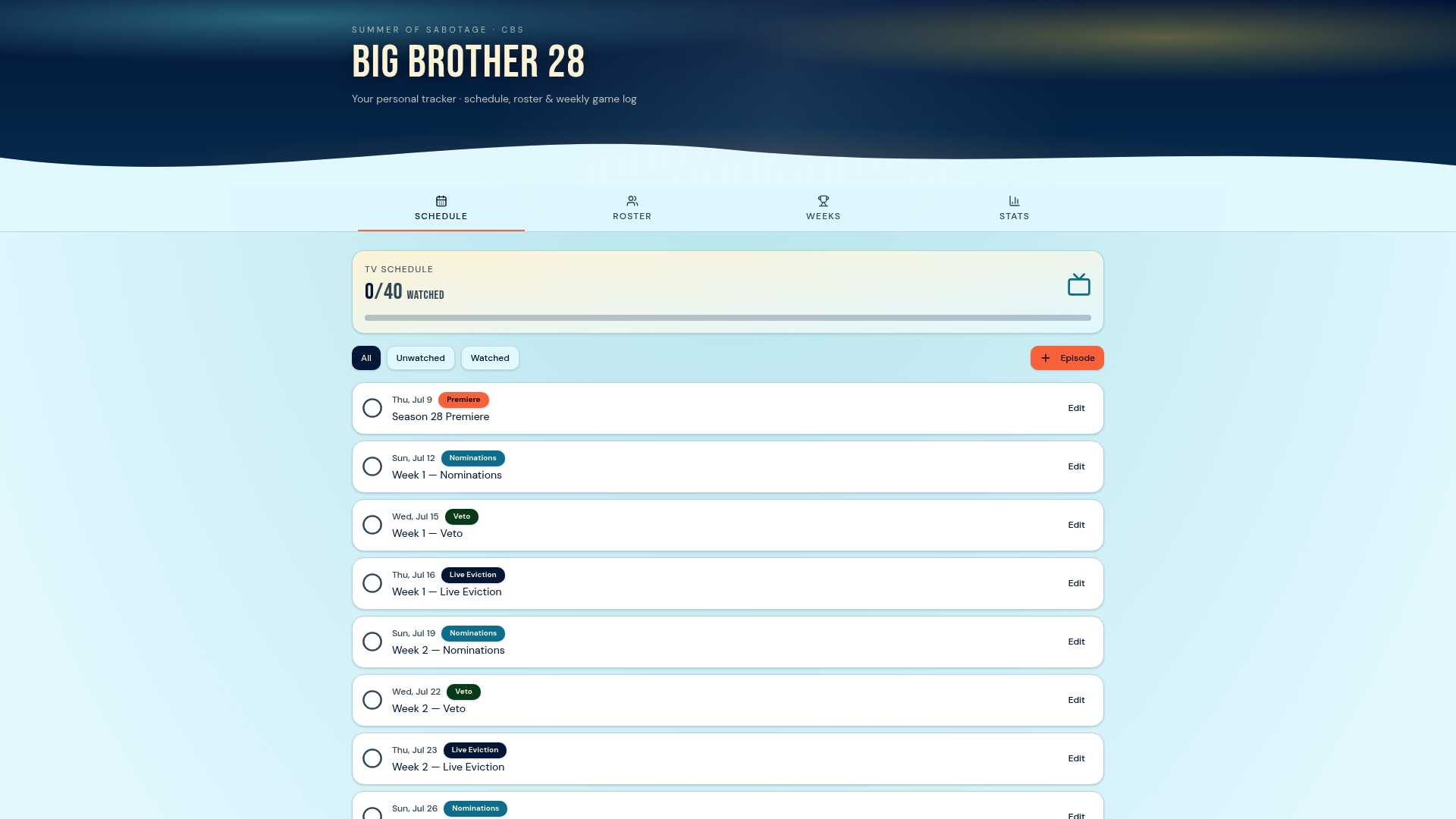
All tracking data stays only in your browser. The tool requires no account or login. That local-only model keeps your notes, favorites, and picks private and tied to a single device.
Core Features
Big Brother 28 Tracker runs entirely in the browser and stores schedule entries, a houseguest roster, weekly game logs, and season stats locally. It shows real-time updates on nominations, vetoes, and evictions as you browse the site. You can view and manage the houseguest list, add private notes, and follow season progress without signing up.
Key Differentiator
The single biggest distinction is the local storage model: nothing syncs to an external server or across devices. That design eliminates account setup, email collection, and cross-device sync by default. For fans who treat their picks and notes as personal, that choice keeps data isolated to the device.
Pros
The tracker emphasizes privacy by keeping user data in the browser, which reduces exposure of personal picks and notes. Once the page loads, the tracker offers offline access so you can check the roster and weekly logs without an internet connection. The interface organizes nominations, veto competitions, and evictions into clear weekly logs and season stats that make following arcs and player momentum easier. Customizable notes and favorites let you annotate episodes and track theories privately on your device.
Cons
- No synchronization across multiple devices or browsers, so your notes and history stay on one device and can be lost if browser data is cleared.
Who It's For
This tool fits a dedicated Big Brother fan who prefers to keep tracking private and local. It suits people who do not want to provide email addresses or create accounts for a tracker. It also fits viewers who travel or watch from secondary devices but accept that their session data will not follow them.
Unique Value Proposition
Because Bbseasontracker stores everything in the browser, you avoid signing up for an account or handing over contact information to a third party. That approach changes the workflow: you manage your season notes and picks locally, so privacy and simplicity become part of how you track the show. For fans who value control over their data, this removes the need to manage another online account.
Real World Use Case
A fan opens the tracker before the live eviction and reviews the weekly log to confirm nominations and veto outcomes. They add a private note about a strategic play and mark two favorites for the next week. After the episode, the fan uses the season stats to compare head-to-head matchups without sharing any of those notes outside their device.
Website: https://bbseasontracker.com
idolforums.com
At a Glance
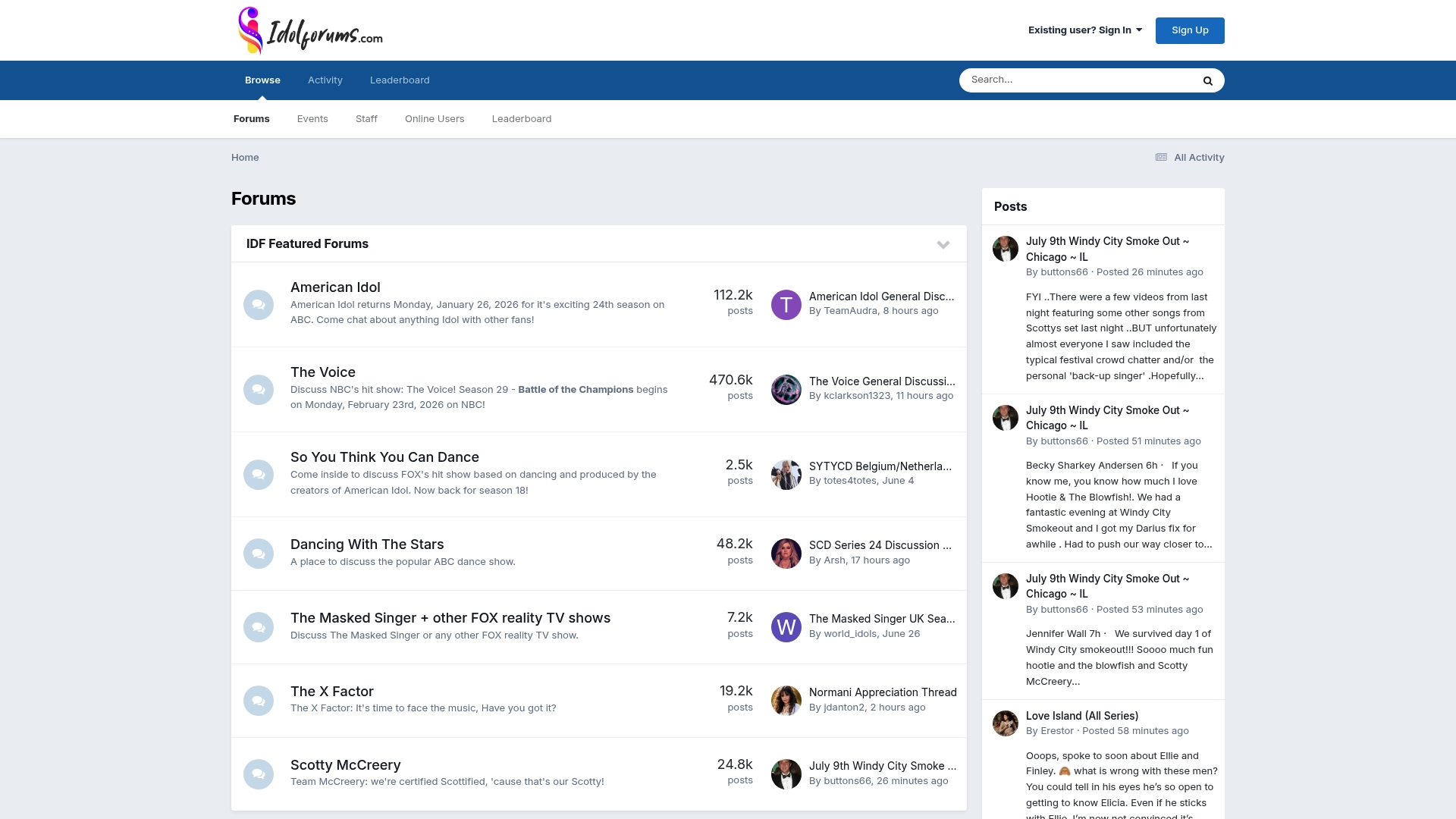
Active sections for American Idol, The Voice, and Dancing With The Stars drive frequent threads and ranking games. The site pairs text discussions with a visible leaderboard that highlights top contributors. Longtime fans and new members trade episode reactions, performance ranks, and event updates daily.
Core Features
Community forums organize conversations by show, season, and topic, which keeps threads focused on specific episodes and contestants. The site hosts rankdowns and ranking games that let members vote and compare performances in structured threads. A moderator team and a leaderboard system maintain order and surface active contributors while event scheduling helps fans follow watch parties and live discussions.
Key Differentiator
idolforums.com centers on participatory rankdowns and detailed episode threads that push discussion beyond casual commenting. That focus creates a game-like environment where contributions affect standing on the leaderboard. For readers who prefer public debates and shared ranking mechanics, this emphasis offers a different experience from private, local trackers such as Bbseasontracker.
Pros
An active community produces steady conversation across multiple entertainment categories, which keeps threads lively during new episodes. Specialized sections for popular shows let you find focused debates and performance threads without wading through unrelated posts. Rankdowns and ranking games convert opinions into visible outcomes on the leaderboard, which rewards frequent contributors. Moderators enforce rules and keep high-traffic areas organized, which reduces repetitive off-topic noise.
Cons
- Limited multimedia support: The forum is primarily text based and does not host rich media uploads in thread bodies.
- Activity dependent: Some sections slow down between seasons, making fresh content uneven.
- Moderation burden: High-traffic threads can attract off-topic posts that require moderator intervention.
When It May Not Fit
If you want robust photo and video hosting inside threads, this forum will feel constrained. If you prefer private, local tracking of veto results and notes, this public, community-driven site does not provide that workflow. Fans who need steady daily activity year round may find some niche sections quiet between seasons.
Who It's For
Fans of television and music who enjoy public debates and voting games will fit best here. Members who like ranking contests and want public recognition on a leaderboard will find incentive to participate. Community managers and moderators looking to run events and sustain engagement will also find a clear place for their skills.
Real World Use Case
A fan joins to follow a singing competition weekend. They post reactions to an episode, enter a rankdown thread, and vote on performance orders. Their posts earn leaderboard points and prompt follow-up threads where other fans compare notes and predict eliminations. Moderators step in to keep the voting thread on topic and schedule the next event.
Website: https://idolforums.com
StreamBuddies
At a Glance
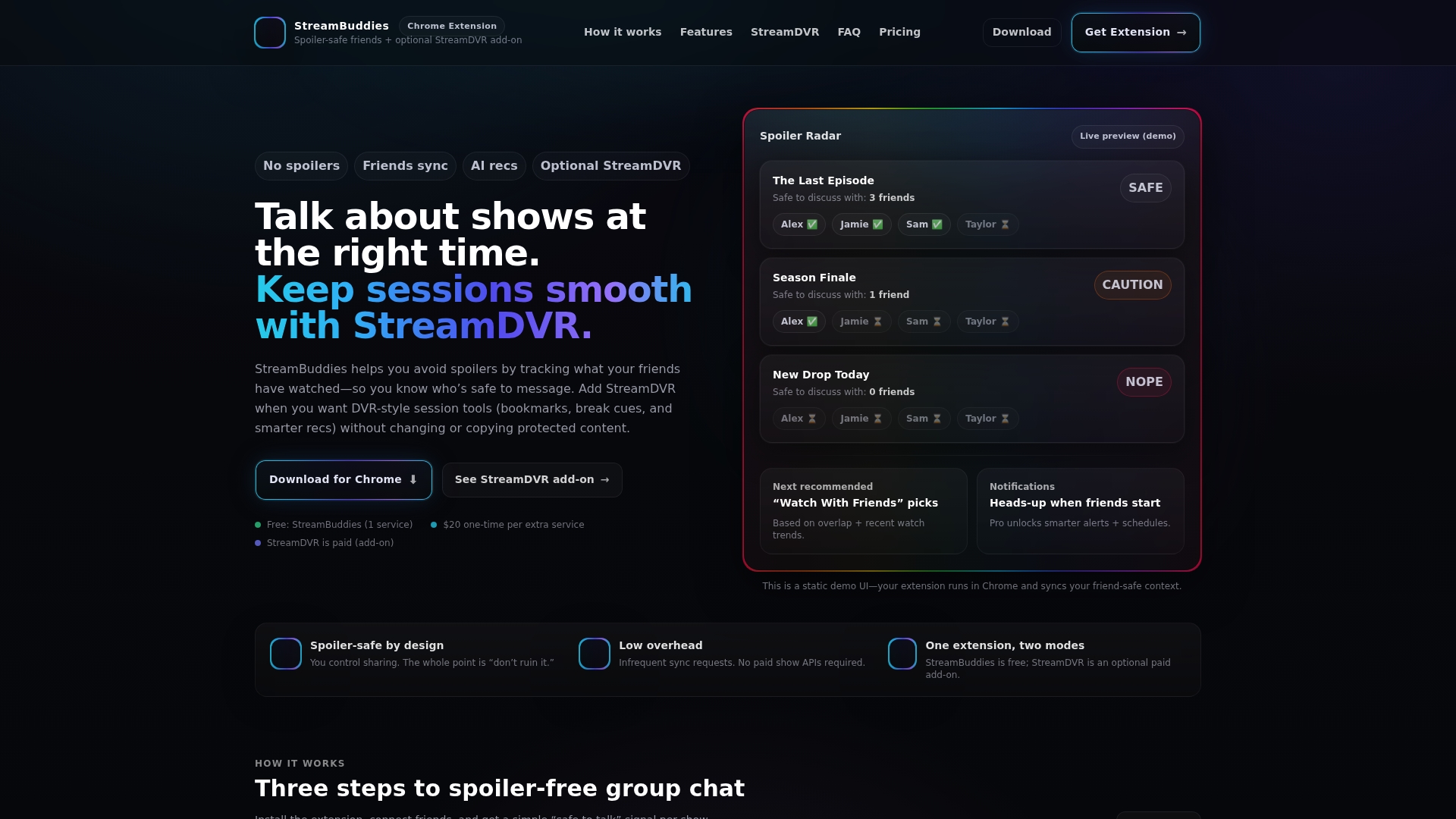
You get one service for free and can unlock StreamDVR for $20 one time per additional service. That pricing structure makes it easy to try the basic spoiler tools before adding session features. The Chrome extension focuses on preventing accidental spoilers when friends talk about shows.
Core Features
StreamBuddies syncs with contacts and Facebook to share viewing progress and manage who sees your activity. It shows spoiler prevention indicators labeled safe, caution, and nope so group chat members know whether to talk about an episode. The extension also offers StreamDVR session tools and AI recommendations that suggest shows based on friend overlap and viewing habits.
Key Differentiator
StreamBuddies pairs real time spoiler safety indicators with optional DVR style session tools inside a Chrome extension. It does this without accessing or modifying protected streams, keeping the tracking layer separate from the actual playback.
Pros
Spoiler safety signals reduce accidental reveals in group chats by marking discussion safety at a glance. The optional paid StreamDVR adds session bookmarks, break detection, and personalized pick suggestions without touching the stream, which keeps legal risk lower. Privacy controls let you choose which contacts see your progress, and the setup is a simple three-step process that most members complete in minutes.
Cons
- Limited session features remain locked until you unlock StreamDVR, so the free tier gives only basic protection.
- Some advanced notifications and larger feature items are planned for later, so power users may wait for updates.
- The tool relies on contact sync and members opting in, which reduces effectiveness if friends do not connect.
When It May Not Fit
If you do not use Chrome, StreamBuddies will not work because it requires that browser. The free tier covers only one service, so people who want many service profiles will face recurring unlock steps per service. If you want automated cross platform playback control or deep service integration, this product does not modify streams and therefore cannot offer that level of control.
Who It's For
This fits viewers who coordinate watch parties or chat about shows with friends and want clear, low friction spoiler signals. It also suits people who want optional session tools like bookmarks and break cues but prefer to keep tracking separate from streaming providers. Members who value selective sharing and simple privacy toggles will get the most from it.
Real World Use Case
A friend group installs the Chrome extension and links contacts for two people who use Netflix and Hulu. When someone starts a new episode, the group chat displays a caution indicator so others avoid spoilers. If the group unlocks StreamDVR, they add bookmarks for favorite scenes and set break cues for a jointly watched episode.
Website: https://streamdvr.net
CongressMCP
At a Glance
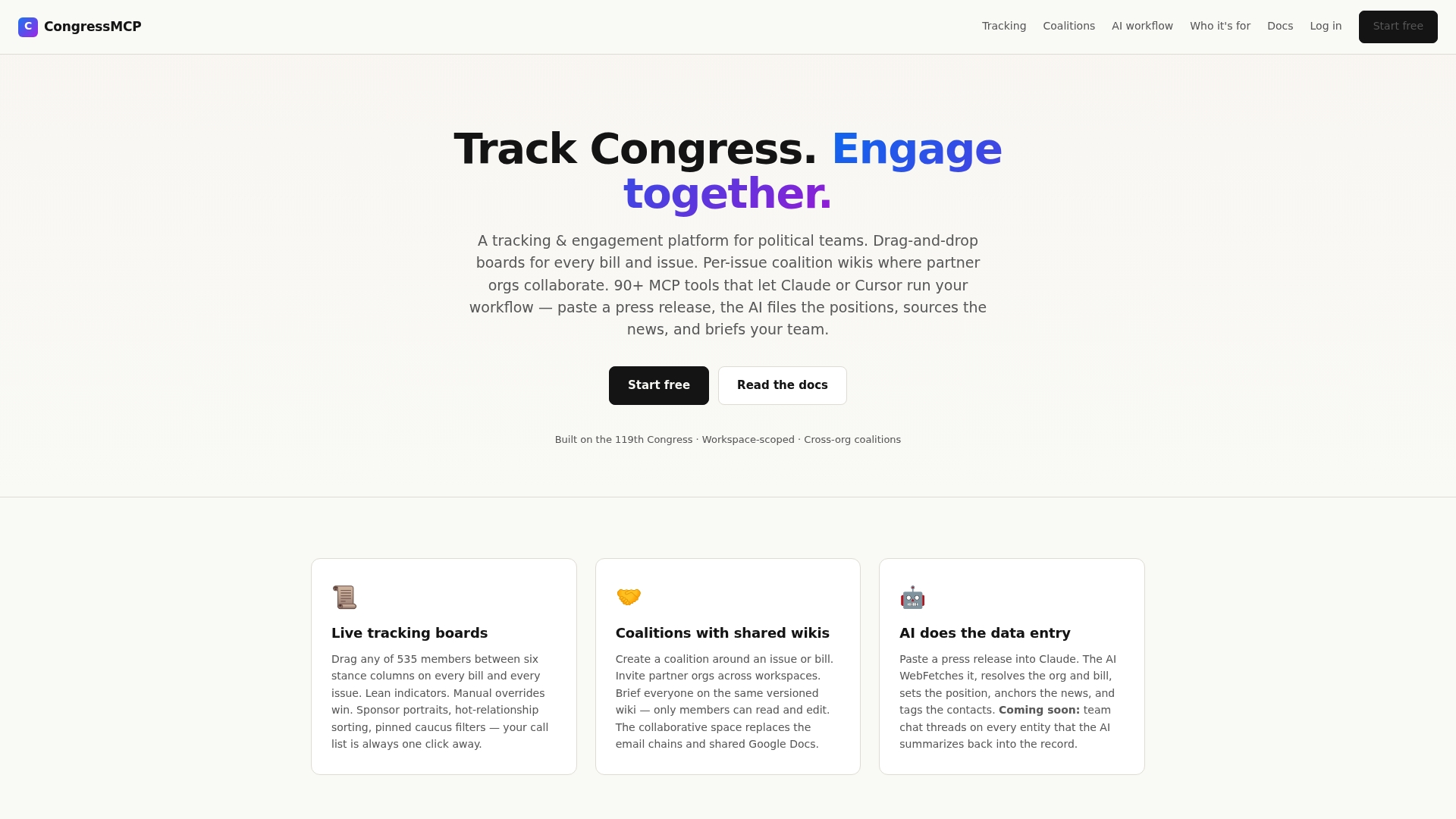
Built on the 119th Congress data, CongressMCP links bills, members, and support patterns into a single view. The platform surfaces member relationship scores and issue alignment across states. That dataset focus makes it possible to track congressional activity with legislative context.
Core Features
CongressMCP offers live tracking boards for members and bills that update as actions occur. Users can form coalitions with shared wikis and collaboration tools, and the platform includes AI tools for extracting data from press releases and news. It also exposes relationship scoring and issue alignment metrics alongside state level dashboards for visual analysis.
Key Differentiator
CongressMCP is built specifically on the 119th Congress data and combines AI driven data entry with shared coalition workspaces. That pairing targets teams that must keep contact notes, policy positions, and bill support all in one place. The focus on cross organization collaboration and legislative context separates it from generic CRM tools.
Pros
CongressMCP is specialized for legislative tracking and political advocacy, so the data model matches congressional workflows. Its AI-powered data entry reduces manual record keeping and speeds routine updates. Coalition features like coalition wikis let multiple organizations edit a shared dossier without exposing other workspace data. The state level geographic dashboards help you spot regional patterns of support and opposition quickly.
Cons
- Limited public documentation: missing pages make it hard to evaluate features before trial. This increases onboarding effort.
- Complexity for newcomers: users unfamiliar with legislative process or AI assisted entry will face a learning curve. Training time will be needed.
- Unclear pricing: no clear public pricing complicates budgeting for small teams or offices. Contact with sales is required.
When It May Not Fit
If you need a plug and play CRM without of the box simplicity, this product may feel heavy. Large enterprises wanting proven scalability metrics will find limited published information. Teams that cannot run an MCP server install will encounter technical setup requirements.
Who It's For
Political teams, congressional staff, advocacy groups, and lobbying firms tracking legislation will get the most value. Small coalitions that must share research and coordinate messaging across offices also benefit. Offices that already maintain member databases will find the legislative focus matches existing workflows.
Real World Use Case
A congressional office monitors bill support and opposition with live tracking boards and updates member contact notes from press releases. Coalition partners collaborate in a shared wiki to draft a joint statement and track endorsements. AI assisted extraction cuts the time spent logging press activity into the record.
Pricing
Pricing is not publicly specified and the vendor lists a presumed paid model with a free trial available. Budgeting requires a sales conversation to confirm seat counts, deployment needs, and any server install costs. Expect to request a quote for enterprise or multi organization licensing.
Website: https://congressmcp.com
Big Brother Wiki
At a Glance
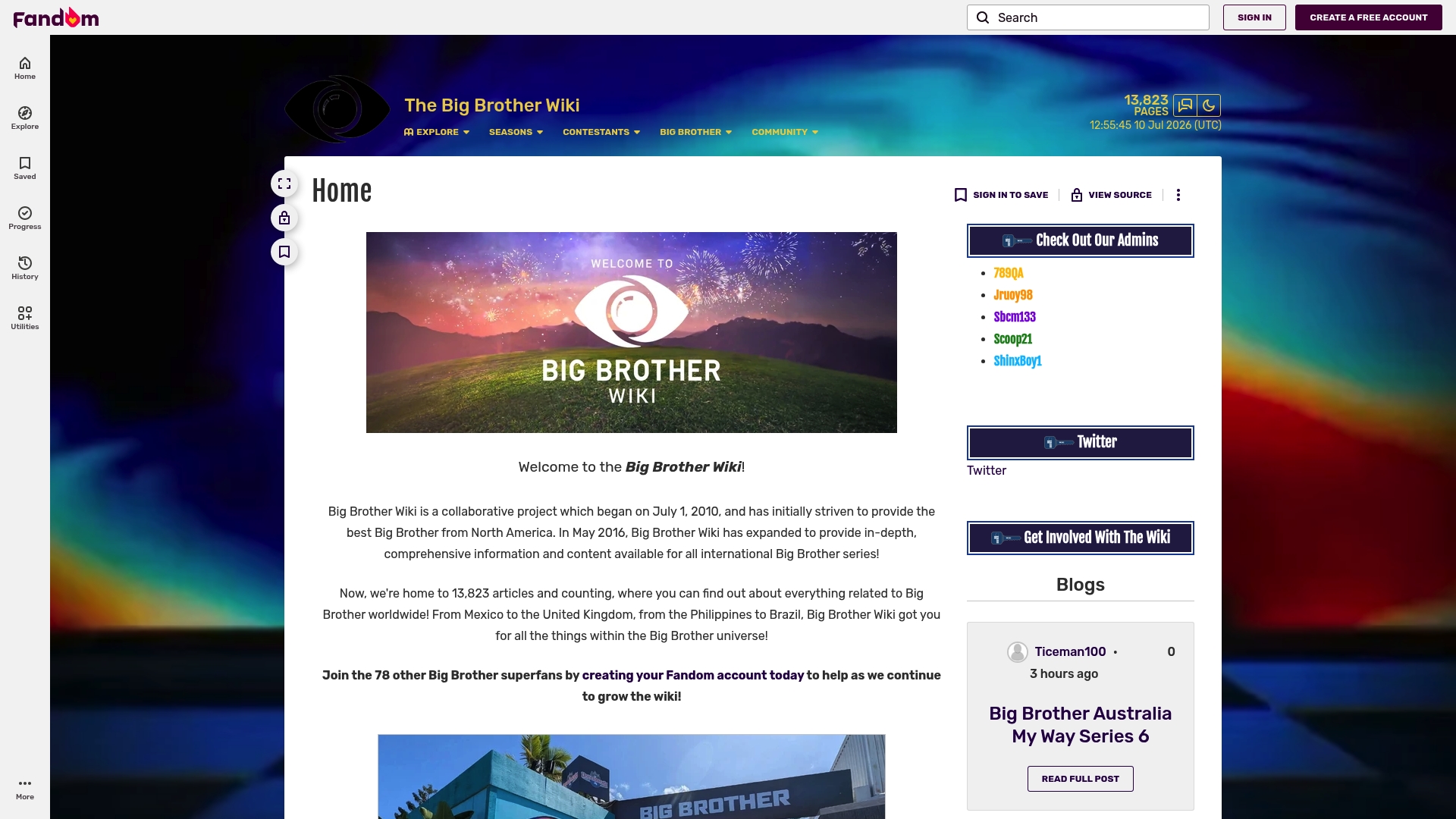
The wiki reports more than 13,823 articles covering Big Brother seasons and contestants around the world. It began expanding beyond North America in 2010 and now lists seasons from the US, UK, Australia, Canada, and other countries. The site highlights current and upcoming seasons while preserving historical winner and season records.
Core Features
Big Brother Wiki operates as a collaborative fan encyclopedia where members create and edit pages about seasons, contestants, and episodes. The site groups historical data, current season updates, and episode details into article pages and category indexes. Registered accounts let contributors add content, correct entries, and follow pages they care about.
Key Differentiator
What sets this entry apart is its global scope combined with active fan editing. The wiki collects season-level and contestant-level details from multiple national versions in one place. That focus makes it a reference hub for comparative research and for fans who want a single searchable repository rather than a private episode tracker.
Pros
The site delivers very deep reference material across international editions, and that depth helps researchers and superfans cross-check facts. Community contributions keep pages current, and member edits surface niche information that mainstream sources miss. Accounts let you participate directly, which turns passive reading into collaborative documentation and recurring updates on premieres, hosts, and winners.
Cons
- Content is mostly informational with limited interactive tools for live tracking or predictions.
- Reliance on community contributions means accuracy can vary by page and by season.
- The site often contains detailed spoilers for recent episodes and live feed developments, which may spoil viewing for some fans.
When It May Not Fit
If you want a private, local-only tracker that stores notes in your browser, the wiki will not match that need. The platform does not provide built-in live-veto trackers or private episode checklists for single-device use. Fans seeking an app focused on personal game tracking rather than collaborative reference should look elsewhere.
Who It's For
This wiki fits Big Brother fans who research seasons, compile comparisons, or write fan articles. It also suits contributors who enjoy editing and curating show history. Researchers and podcasters who need cross-national season facts will find the repository useful.
Real World Use Case
A fan preparing a blog post comparing finalists across five national editions can use the wiki to gather contestant bios, eviction timelines, and winner histories. Editors on the site can add citations and correct dates, letting the blogger cite consistent page snapshots. That workflow speeds research and reduces time spent hunting multiple official pages.
Website: https://bigbrother.fandom.com/wiki/Big_Brother_Wiki
Comparison of alternatives
Fans of reality television tracking tools often seek options tailored to their priorities. While privacy, community engagement, and auxiliary features provide key contrasts, the choice ultimately hinges on individual use cases.
Privacy and Data Control
bbseasontracker.com delivers privacy by saving all tracking data exclusively in the user's browser, avoiding cloud storage and account creation. This design uniquely suits viewers valuing localized management of notes and veto outcomes. In contrast, alternatives such as StreamBuddies rely on contact and service integrations that may extend exposure risk, highlighting divergent privacy approaches.
Community and Collaborative Insights
While Big Brother Wiki shines in global fan collaboration, organizing datasets across international editions, it lacks tools for direct episode-by-episode personal tracking—features essential for dedicated veto historians. For those passionate about sharing and dynamically updating show context, this platform offers collaborative convenience.
Best fit
- If your primary concern is personal privacy and device independence, bbseasontracker.com is for local-only veto tracking.
- For fans enthusiastic about exploring cross-season information and global perspectives, Big Brother Wiki provides a rich community-crafted repository of insights.
- Social viewers who prioritize spoiler prevention in discussions can benefit from StreamBuddies, featuring tools tailored to coordinated watching.
- If you're seeking legislative parallels or technical integration capabilities, CongressMCP serves niche cross-category use cases extending tracking needs.
Our pick
bbseasontracker.com stands out through exclusive browser-based privacy and ease of use without requiring accounts or personal data uploads. Yet, it leads to limitations in cross-device tracking, which means it is best suited for individuals prioritizing privacy above convenience or collaborative functionalities found elsewhere.
When choosing a Big Brother veto tracking tool, understanding the key features that align with privacy, accessibility, and community interaction can help determine the best fit.
| Product Name | Key Differentiator | Best For | Pricing | Notable Limitation |
|---|---|---|---|---|
| Bbseasontracker | Local-only data storage for enhanced privacy | Fans who prioritize privacy and local-only tracking | Free | Device-specific storage; data cleared with browser reset |
| idolforums.com | Community forums with ranking and interactive threads | Viewers who enjoy public discussions and community rankings | Free | No local or private note tracking features |
| StreamBuddies | Spoiler prevention and session DVR through Chrome | Group viewers coordinating spoiler-safe discussions | Free basic; $20 per service | Requires Chrome for functionality |
| CongressMCP | Legislative tracking and issue alignment integrated | Political teams requiring detailed legislative dashboards | Price not published | Steep learning curve for non-expert users |
| Big Brother Wiki | Comprehensive, international Big Brother content | Fans needing a searchable encyclopedia of global seasons | Free | Informational focus; lacks live tracking tools |
Struggling to Keep Your Big Brother Veto Tracking Private and Simple?
Tracking Big Brother veto competitions can get complicated when tools require accounts or sync across devices. The key pain point is maintaining privacy while staying organized with nominations, vetoes, and evictions. Bbseasontracker solves this by storing all notes, favorites, and picks locally in your browser. You control your data without any login or account setup.
Bbseasontracker offers a straightforward way to track the game week by week with customizable notes and real-time updates while keeping your information private and accessible only on your device. Visit Bbseasontracker now to try a user-friendly big brother veto tracking tool tailored for fans who want privacy and simplicity without compromise.
FAQ
How does Bbseasontracker ensure my data remains private?
Bbseasontracker keeps all tracking data in your browser, which means no account or login is necessary. This local-only model prevents your notes, favorites, and picks from syncing to external servers. You can confidently track your Big Brother experience knowing your data remains private to your device.
What is the difference between Bbseasontracker and StreamBuddies in terms of features?
StreamBuddies focuses on providing spoiler safety indicators, marking discussion safety levels in group chats. Bbseasontracker, on the other hand, offers real-time updates on nominations, vetoes, and evictions without requiring any external syncing, making it ideal for fans who want a dedicated tracking tool.
Can I use Bbseasontracker for offline access?
Yes, Bbseasontracker provides offline access once the page loads. This allows fans to check the roster and weekly logs even without an internet connection, making it convenient for fans on the go or during live events.
Does Bbseasontracker allow for synchronization across multiple devices?
No, Bbseasontracker does not support synchronization across devices. If you clear your browser data, your notes and history can be lost, so it's best to use it on a single device you can consistently access.
Which platform is best for tracking multiple reality TV shows?
Bbseasontracker specializes in Big Brother tracking only, while idolforums.com hosts active sections for several shows like American Idol and The Voice. For fans needing broader coverage of multiple reality TV shows, idolforums.com would be a better fit.
Diary Room · Comments
Anonymous. Be kind. No accounts required.
Loading comments…